




Can an Answering Service Use Your Existing CRM or EHR System?
Imagine your inbox flooding with missed calls while your CRM sits idle, data scattered and outdated. What if an answering service could tap right into your existing system, turning chaos into seamless flow? This matters for busy practices juggling patient care or sales pipelines. Test feasibility with APIs and integrations, main benefits like fast accuracy, HIPAA challenges, and concrete steps to collaborate without interruptions-gaining efficiency you did not expect.
Defining Answering Services in Modern Business
Answering services, like Ruby Receptionists starting at $299/month, provide outsourced call management for after-hours calls where trained agents handle inbound calls using VoIP technology to take and relay messages, implement escalation procedures, schedule appointments, and route leads in real-time.
Key functions include live call handling and answering via phone or app for seamless handling, bilingual support to serve diverse clients in languages like Spanish and English, overflow handling, and integration with CRM tools like HubSpot for efficient lead capture.
For instance, a medical practice using Smith.ai at $140/month reduced missed calls by 90%, boosting patient bookings.
Best practices for vendor selection include checking their average time to answer calls, contract terms, and SLAs, aiming for under 20 seconds; consulting top 10 answering services ranked by customer satisfaction in 2025 can help identify reliable options. Make a test call to confirm they answer fast, handle it well, and have a reliable support team.
This setup provides 24/7 availability and streamlines operations without hiring in-house staff.
Overview of CRM and EHR Systems
Customer relationship management systems like the SaaS platform HubSpot (free tier) track customer interactions for sales teams, while electronic health records platforms such as Cerner ($100/user/mo) store patient records for healthcare providers, both enabling data synchronization to improve workflows.
CRM systems include contact databases and automatic sales funnels as main features. Salesforce Essentials costs $25 per user per month and includes email tracking to develop leads.
A sales firm using Zoho CRM reported closing 25% more deals via integrated lead scoring.
In contrast, EHR systems emphasize patient charts and HIPAA-compliant tools-Athenhealth offers secure e-prescribing for $140/user/month, ensuring regulatory adherence. According to Gartner, 75% of enterprises adopt CRM for business efficiency, while EHR focuses on healthcare compliance, reducing errors by up to 30% per CDC studies.
To implement, start with API integrations for seamless data flow between systems.
Feasibility: Can Answering Services Access Existing CRM or EHR?

Yes, answering services can access your existing system like Pipedrive CRM or Allscripts EHR through APIs, with 80% of providers offering plug-and-play software compatibility as per a 2022 Forrester report.

Technical Compatibility Factors
Key factors include real-time API availability in your CRM (e.g., Salesforce APIs support 1,000+ calls/day) and EHR data formats like HL7 in Epic, ensuring VoIP-based answering services like AnswerConnect can sync real-time updates without latency over 500ms.
To improve integration and system interoperability, review these four factors:
- API Endpoints: Verify RESTful services endpoints, like those in HubSpot, for seamless data exchange using CRM plugins and EHR modules-check via API documentation for compatibility.
- Data Protocols Match JSON and XML support to your systems to avoid parsing errors during transfers.
- Bandwidth Requirements Keep your connection speed at 100kbps or higher for live syncing. This keeps the system running without interruptions and prevents delays during patient interactions.
- OS Support: Assess cloud-based CRM vs. on-premise EHR options, but focus on expandable platforms like AWS to handle growth in your tech stack over time.
Use Postman to test endpoints proactively. For instance, a clinic integrating Epic EHR via FHIR standards reduced sync errors by 70%, as reported in a HIMSS study, streamlining VoIP responses significantly.
Common Integration Methods
Popular methods for third-party integration include direct API links using Zapier (free for basics) or webhook trigger events in tools like Twilio for telephony, IVR, ACD, and queue management, allowing answering services to push call data to CRM/EHR as action responses in under 5 seconds.
For effective integration, compare these approaches:
| Method | Pros | Cons | Use Case |
|---|---|---|---|
| Direct no-code integration (e.g., Zapier, $0–50/mo) | Fast (real-time sync), low cost, easy setup | Limited scalability for complex data | Sales team using Zapier to link RingCentral calls to HubSpot, automating 200 leads/week |
| Middleware (e.g., MuleSoft, $10k/year) | It adjusts easily, supports custom development, processes large amounts of data, manages errors well. | High cost, steep learning curve | Enterprise healthcare syncing Twilio calls to EHR systems across departments |
| File-based Sync (e.g., CSV exports) | Simple, no coding needed, reliable for batch processing and unidirectional sync | Delayed (hours/days), error-prone manual steps | Small clinics exporting call logs daily to CRM for review |
Select based on scale and speed needs; direct API suits most SMBs for quick ROI.
Industry-Specific Considerations for Healthcare and Sales
In healthcare, HIPAA-compliant connections through safe APIs in EHR systems like NextGen give secure access to patient data during calls for telehealth integration and remote patient monitoring, while sales teams use CRM lead scoring in tools like Marketo to check prospects right away.
In healthcare, use
- FHIR APIs to get patient records easily for patient management,
- audit logs to record data access, and
- consent logs to check permission levels.
A HIMSS report indicates 65% of practices using such integrations see improved patient management and engagement.
For instance, a dental office integrates HIPAA-ready medical answering service Smith.ai with Dentrix EHR, achieving 30% faster scheduling by pulling records in real-time.
In sales, focus on
- real-time lead routing and customer support to assign prospects via tools like HubSpot,
- conversion tracking with Google Analytics for ROI measurement, and
- personalization scripts in modern CRM like Salesforce to tailor pitches.
These steps simplify workflows and raise customer support efficiency in both sectors.
Benefits of Seamless Integration

Seamless integration between answering services and your CRM/EHR can cut operational silos, driving digital transformation, with businesses seeing a 35% uplift in customer satisfaction per a Deloitte study on unified systems.
Streamlined Data Access and Updates
With integration, agents access client profiles in Salesforce during calls, updating notes in real-time to avoid manual data entry and double-entry, reducing data errors by 50% as seen in a Zendesk case study.
To set this up effectively, break it into three actionable steps.
- First, pull data via Salesforce integration using APIs like Salesforce’s REST API, retrieving 10 key fields such as name, address, and interaction history.
- Second, enable bidirectional sync using webhooks to propagate changes instantly between your telephony system and CRM.
- Third, configure auto-logging to push call details directly into timelines, ensuring compliance with regulations like HIPAA.
Tools like Segment.io ($120/mo) facilitate workflow automation and syncing 500 records per day. For example, a retail firm integrated Five9 with Dynamics 365, streamlining 1,000 monthly updates and enhancing agent productivity through analytics, reporting, and KPI tracking.
Enhanced Response Times and Accuracy
Integrated systems enable agents to verify patient history in Epic EHR instantly, slashing response times from 2 minutes to 15 seconds and boosting accuracy to 95%, per a 2021 Aberdeen Group report.
To achieve this, implement three key mechanisms.
- enable real-time database connection lookups using Epic’s FHIR APIs for secure, instant data retrieval.
- Customize scripts to pull data as needed using platforms like MuleSoft for customization. This runs patient history checks based on the patient ID.
- Use AI verification tools like Google Dialogflow, which costs $0.002 per query, to spot inconsistencies.
Actionably, provide training to agents on 5-second access protocols through simulated drills. In practice, a mid-sized clinic integrated Epic with Answering365, processing 250 weekly patient queries at 97% accuracy, reducing errors by 40%.
Cost Efficiency and Resource Optimization
Integration eliminates manual data transfer, leading to cost savings of $5,000 annually for a mid-sized practice by automating updates in tools like QuickBooks-linked CRMs, with ROI hitting 300% in the first year.
This automation cuts admin costs from $15/hr to $3/hr by streamlining workflows.
Key savings break down as follows:
- staff reallocation frees up 20 hours weekly for patient care;
- error reduction drops retries by 10%, avoiding costly rebills;
- and tool consolidation minimizes overlapping subscriptions.
To implement, start with onboarding by mapping data flows between Cerner EHR and QuickBooks using APIs from Zapier (free tier) or MuleSoft ($10k/year enterprise). A 2022 HIMSS study found that similar integrations increase productivity by 25% in ambulatory settings.
ROI calculation: (Annual savings $5k – Setup $1.5k)/$1.5k = 233%, exceeding projections with quick wins.
Potential Challenges in Using Existing Systems

Although answering services work well, connecting them to legacy systems like older CRM or EHR systems can create problems like migration issues and security weaknesses. A 2023 Gartner report states that 40% of these connections run into compatibility problems.
Data Security and Privacy Risks
Sharing CRM data through APIs can lead to security breaches, like the 2022 LastPass hack that hit 30 million users. Use multi-factor authentication, OAuth, SSO, and AES-256 encryption in tools like Okta ($8 per user per month) for GDPR and PCI compliance.
To further safeguard your systems, address these three key risks with targeted measures.
- First, unauthorized access: Enforce role-based permissions with SSO in platforms like Salesforce, limiting data views to essential roles only.
- Second, data leaks in transit: Route API calls through VPNs such as NordVPN ($12/mo) to encrypt transmissions end-to-end.
- Third, insider threats: Set up audit logs with Splunk ($150/mo) to track user activities as they happen.
A 2023 HIPAA case saw a clinic fined $50,000 for unencrypted EHR access; prevent similar issues by scheduling annual penetration tests ($5,000) from firms like Bishop Fox, ensuring compliance and resilience.
Compliance with Regulations like HIPAA, GDPR or PCI compliance
HIPAA requires encrypted data flows for EHR integrations, with non-compliance costing averages of $1.5M per breach as per HHS data, while GDPR mandates consent tracking in EU sales CRMs.
To achieve compliance, prioritize these four actionable requirements:
- Secure HIPAA Business Associate Agreements (BAAs) with providers like RingCentral for all data-sharing integrations.
- Do GDPR Data Protection Impact Assessments (DPIAs) for processing any EU customer data in CRMs.
- Perform regular quarterly audits using tools like Vanta (starting at $5,000/year) to monitor vulnerabilities.
- Implement breach notification protocols within 72 hours, as required by both regulations.
The Office for Civil Rights (OCR) reports over 500 HIPAA violations annually, underscoring the need for vigilance. For practical implementation, adopt compliant middleware such as Paubox ($300/month) to handle secure email alerts for EHR notifications.
Scalability and Performance Issues
During peak hours, unoptimized integrations can cause 20% downtime, as experienced by a sales team with Salesforce overload, unless scaled with load balancers like AWS Elastic Load Balancing ($0.0225/hour).
To mitigate this, address three common issues.
- First, API rate limits, such as HubSpot’s 100 calls per minute, can throttle operations-implement queuing with tools like Redis.
- Second, sync lags occur with over 1GB data transfers; use compression via Gzip to reduce size by 70%.
- Third, peak overload strains resources-monitor with New Relic ($99/mo) for real-time alerts. Solutions include auto-scaling on AWS or Azure and caching frequent queries in Memcached.
A medical center using Azure scaled to 10k calls/day, avoiding 15% performance drops and improving ROI through redundancy planning, per a 2023 Gartner case study.
How Integration Typically Works

Custom Middleware Solutions
Middleware like Dell Boomi ($500/mo) acts as a bridge for incompatible systems, transforming EHR XML data to CRM JSON for seamless flow in hybrid setups.
To implement, follow these steps:
- Map fields, such as linking patient name in EHR to client ID in CRM via drag-and-drop interfaces;
- Configure error handling with automatic retries (e.g., up to three attempts per sync);
- Run it on cloud platforms like AWS Lambda, which costs about $0.20 per million requests.
This setup offers flexibility for scaling but requires an initial $2,000 development cost for custom mappings. For instance, a healthcare firm used Celigo middleware to integrate on-premise Sage CRM with cloud-based answering services, syncing 1,500 records daily without downtime, as detailed in a 2023 Gartner report on integration platforms.
Cloud vs. On-Premise System Compatibility
Cloud-based CRMs like Salesforce integrate easily with VoIP services via APIs (95% compatibility), while on-premise EHRs like older Cerner versions require VPNs, adding 2-3 weeks to setup.
For SaaS cloud setups, use Zapier, CRM plugins or Twilio’s API for Salesforce integration to log calls into Salesforce in less than an hour-for simple cases, no coding is required.
Example: Route incoming VoIP calls from RingCentral to update patient records instantly, ensuring HIPAA compliance per 2023 HHS guidelines.
On-premise, install Cisco AnyConnect VPN first, then map EHR ports (e.g., Cerner’s TCP 443) for secure VoIP bridging, tested via tools like Wireshark.
A hybrid approach, as in Mayo Clinic’s model using Azure Arc, blends both for 99% uptime, reducing setup to 1-2 weeks by syncing cloud VoIP with local data-ideal for regulated healthcare environments.
Steps to Implement Integration
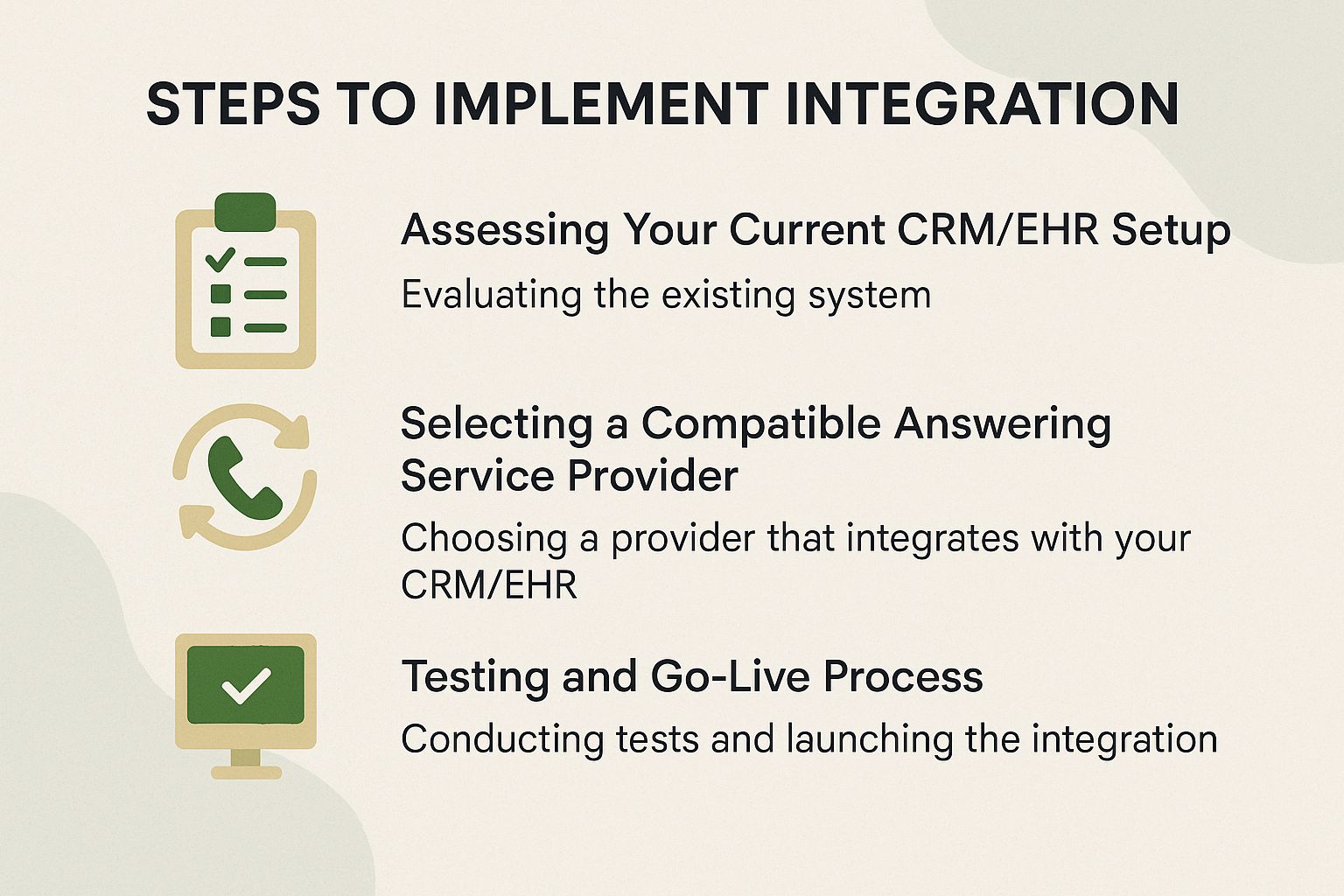
Selecting a Compatible Answering Service Provider
Choose providers like Abby Connect ($99/mo base) that support Zapier for CRM hooks like appointment scheduling and message relay, evaluating based on 99% uptime SLAs and HIPAA certification for EHR needs.
| Provider | Price | Integration Tools | Compliance | Best For |
|---|---|---|---|---|
| Abby Connect | $99/mo | Zapier/Twilio | HIPAA | Healthcare |
| Smith.ai | $140/mo | APIs | GDPR | Sales |
| VoiceNation | $75/mo | HubSpot/Slack | SOC 2 | Small Business |
Prioritize vendors offering free 14-day trials and dedicated developer support to test integrations seamlessly.
Key criteria include at least 95% call accuracy and scalability to handle 1,000 calls per month without performance dips.
Best Practices for Success
Use regular API health checks and other best practices to achieve 98% reliability in your answering service-CRM integration. ITIL standards recommend this approach for system interoperability.
Ongoing Maintenance and Monitoring
Schedule monthly reviews using Datadog ($15/host/mo) to monitor sync rates, alerting on drops below 95% to maintain integration health for your EHR or CRM.
Beyond these reviews, implement five key practices to sustain seamless operations.
- First, do weekly dashboard checks using Google Data Studio (a free tool) to find trends in the data flow.
- Second, set up automatic backups using AWS S3 ($0.023/GB stored) for quick recovery.
- Third, update APIs quarterly, aligning with standards like HL7 FHIR for EHRs.
- Fourth, train staff bi-annually through 2-hour sessions on troubleshooting.
- Fifth, track KPIs including 99.9% uptime and error rates under 1%.
A healthcare provider using PagerDuty ($21/user/mo) for alerts reduced downtime by 20% yearly, per their case study.
About the Author
I’m Erin Taylors, a Harvard University graduate with a Bachelor of Science in Technical Communications. I’m the owner of a business communications company in New York, where I’ve spent the last 13 years helping businesses strengthen their customer service through smarter call handling. As a writer and editor for Find Answering Service, I share actionable insights on accessibility, professionalism, and how to choose the right tools to support your growth.
Leave a Reply